
1. Connect your X account.
1.1 Click on Sell on social -Integrations in the left menu, then click on X shops.
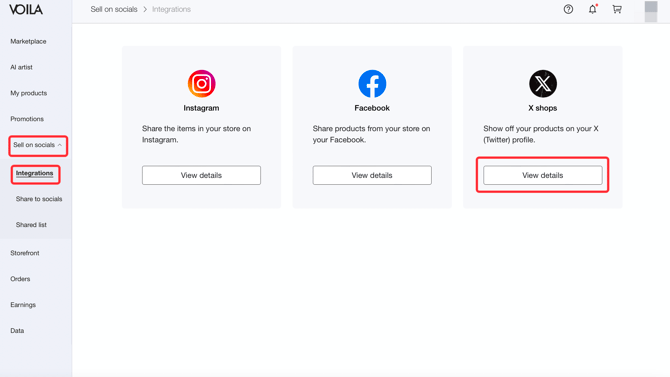 1.2 1.2 Click the link shown in the image below to go to X.

1.3 Log in to your X account.

2. Add products.
2.1 Enter VOILA Products for catalog name and click Create catalog.


2.2 Click Add products, then click Scheduled feed.

2.3 Select Xml as the Format type and paste your shop URL. Leave username and password blank. Set the frequency to Hourly and Repeat 4 hours.

2.4 Click Create, and then your feed has been successfully scheduled!
*This process may take a few minutes.

3. Add products.
3.1 Click All products and select the products you want to display on your X account.

3.2 Create a product set.

3.3 Click on Shop under the Storefront tab, enter your Shop name, select Featured products, and then click the Publish button.

3.4 Under the Shop Spotlight tab, you can also add Featured products to be shown in your X bio.
*ONLY the first 5 products will be shown.

3.5 And then you can start generating sales on X!
