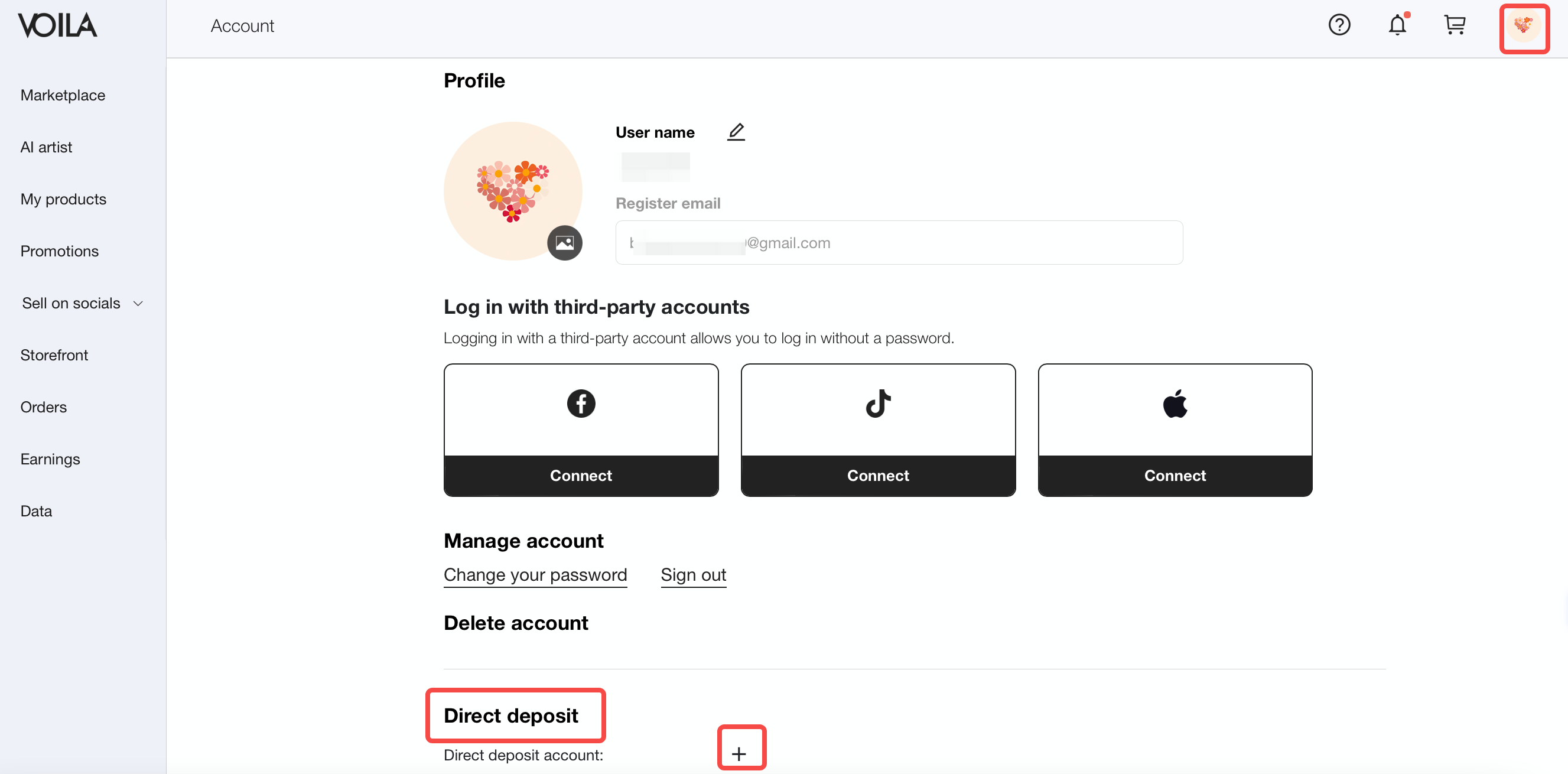
1. How do I link my bank account?
1.1 Go to your Personal center and add your bank account under Direct deposit.
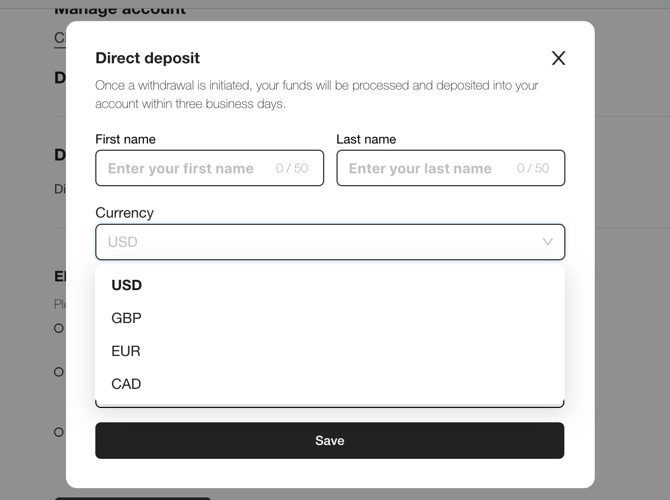
1.2 Click the "+" button and enter your bank account details on the next page. We support multiple currencies and countries.
2. How do I withdraw my earnings?
*The withdrawal amount must be greater than $25.
2.1 When the status of a user order changes to Completed, the corresponding Earnings status will also change from Pending to Withdrawal. You can view the specific amount in the Current balance section.
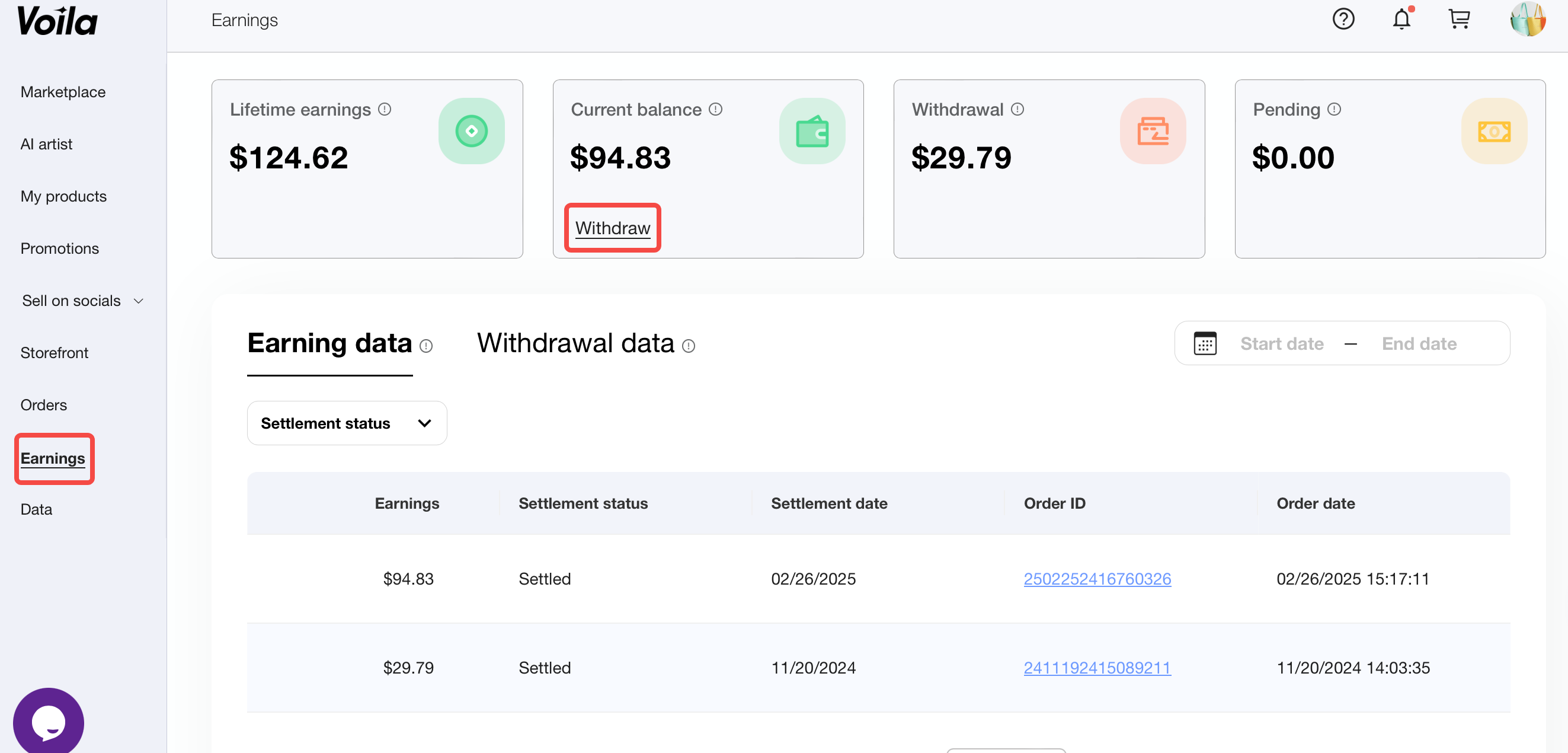
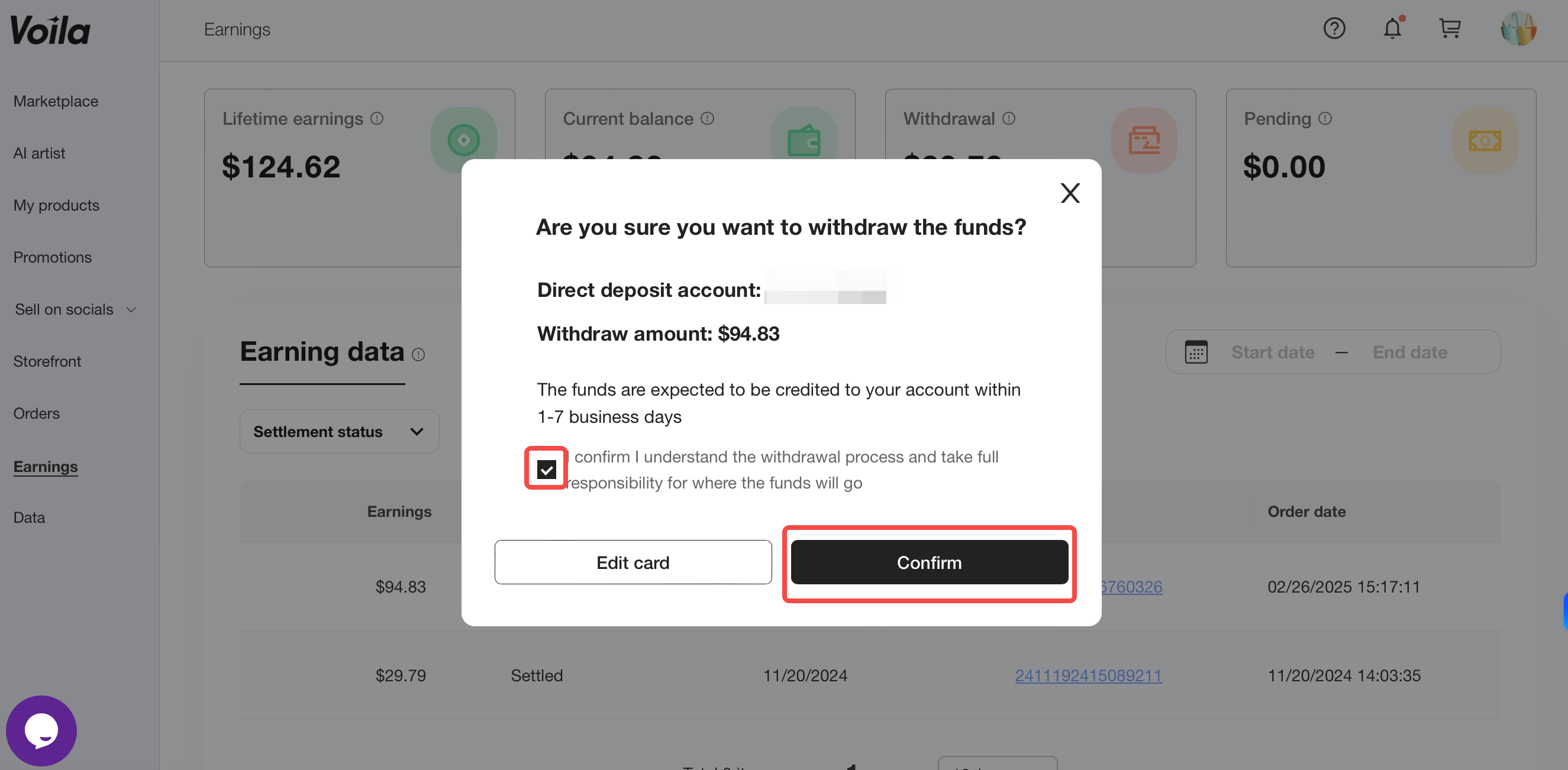
2.2 Click Withdraw. Check your account information and withdrawal amount. After verifying, click Confirm.
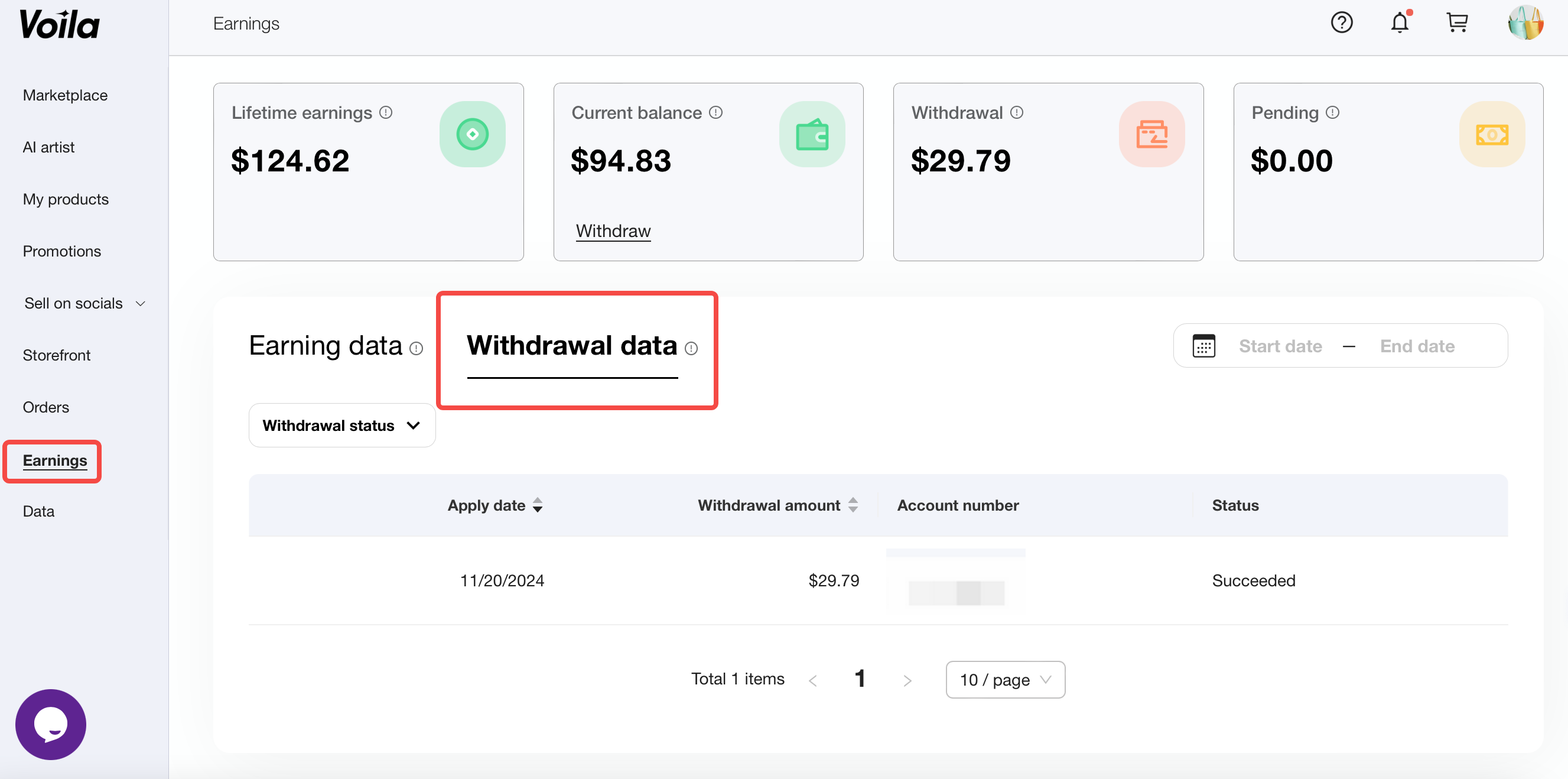
3. How do I view my withdrawal history and status?
3.1 After submitting a withdrawal request, you can view the withdrawal amount in the Withdrawal section.
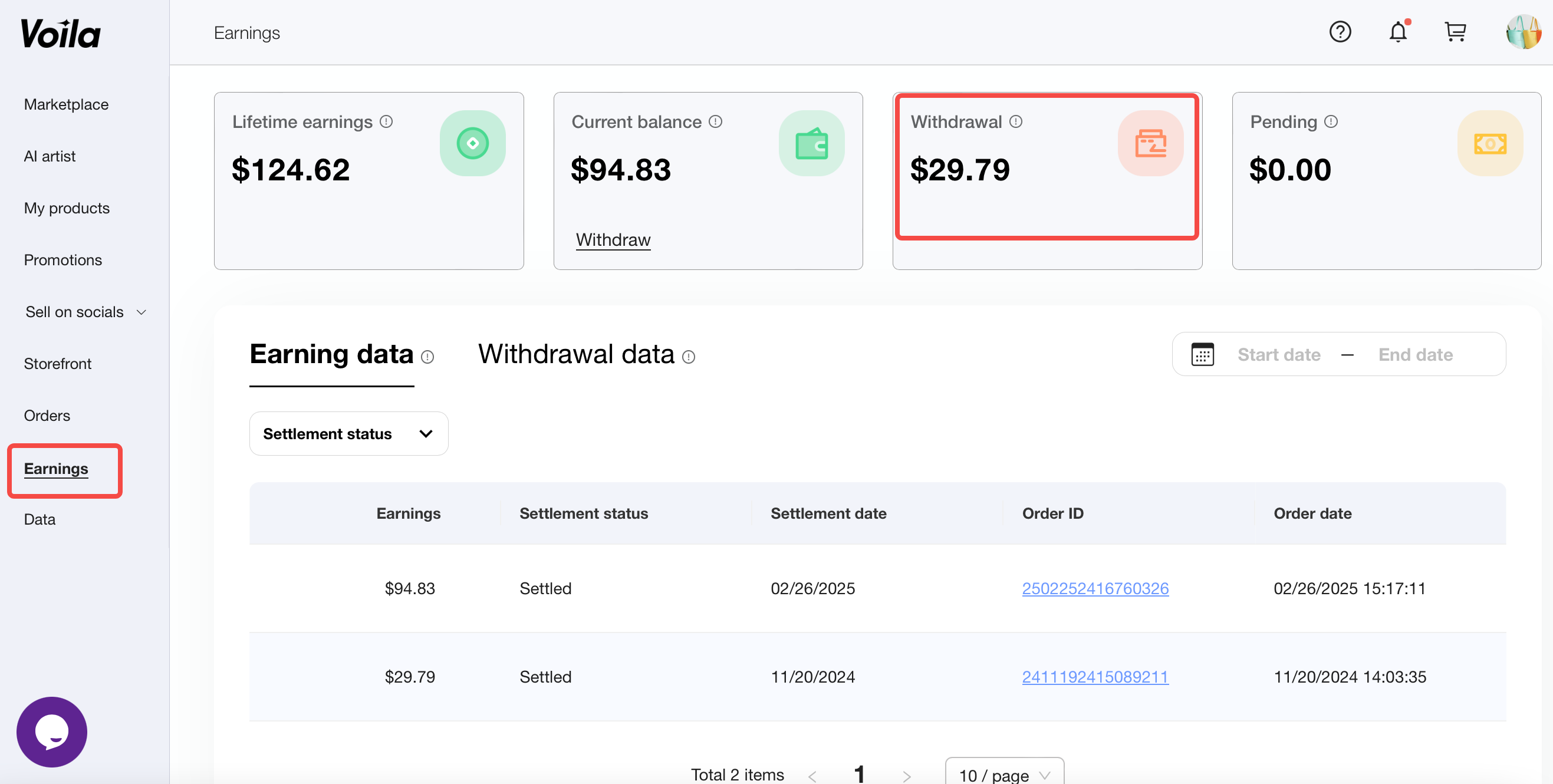
3.2 Click Withdrawal data to check the status of your withdrawal amount.