This article will guide you on how to quickly set up a store to your satisfaction and configure its basic functionalities.
1. Set up store name.
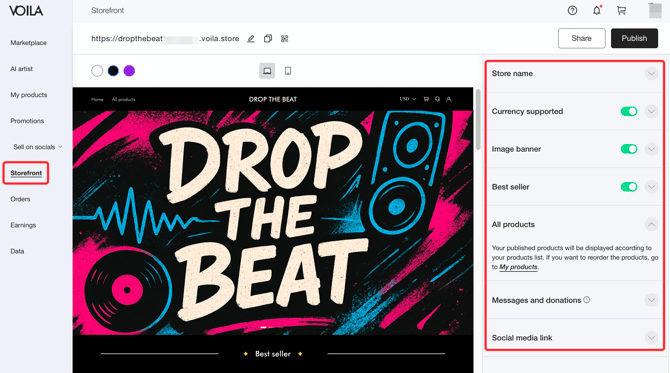
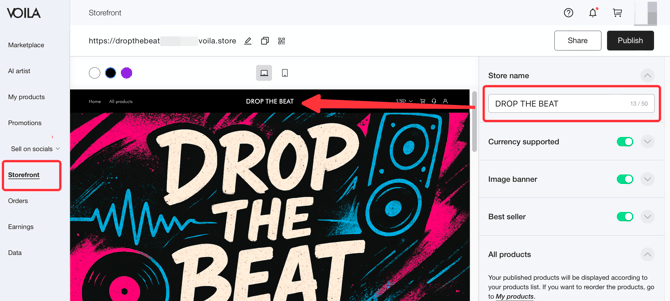
Click the Storefront tab, then set your store name in the Store Name field on the right.
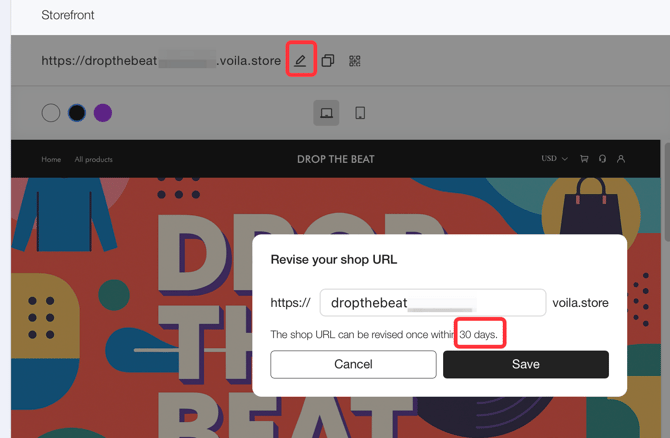
2. Customize shop URL.
Click the Edit button next to Shop URL to modify your store's web address. Please note that you can only change it once within 30 days.
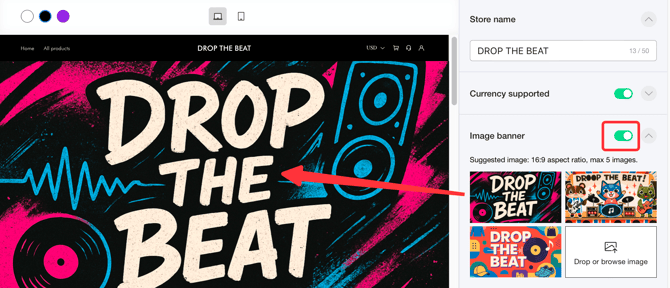
 3. 3. Set up your shop banner.
In the right-hand menu, open Image Banner and upload up to five 16:9 ratio images as your shop banners.
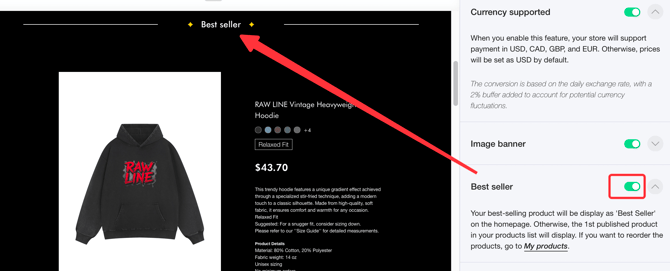
 4. 4. Show your best seller.
Enable the Best Seller feature to automatically display your top-selling product, making it easier for customers to discover popular choices.
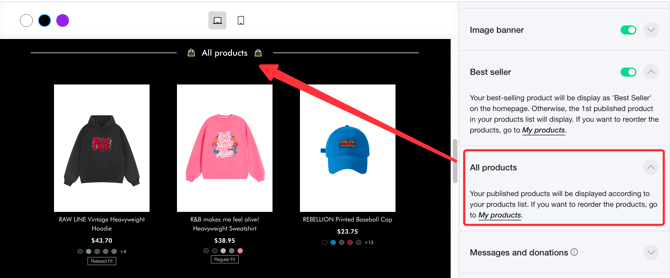
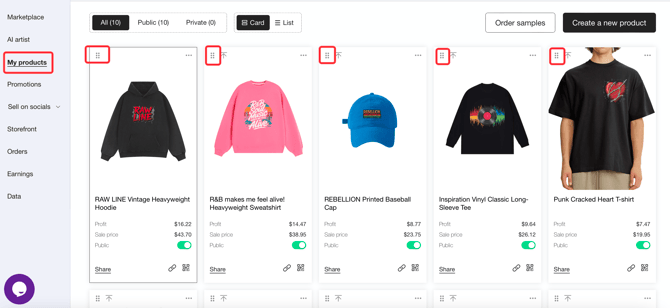
 5. 5. Rearrange Product Order.
Products are displayed chronologically in All products by publish date. To customize the order, adjust settings under My Products tab.
 6. 6. Link my social media.
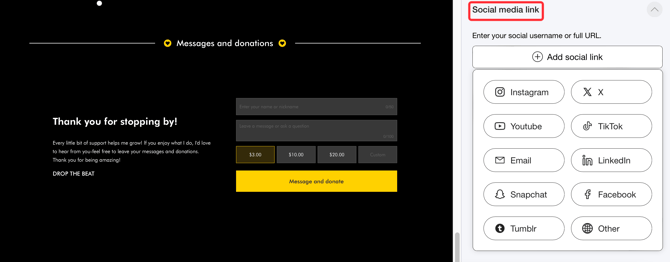
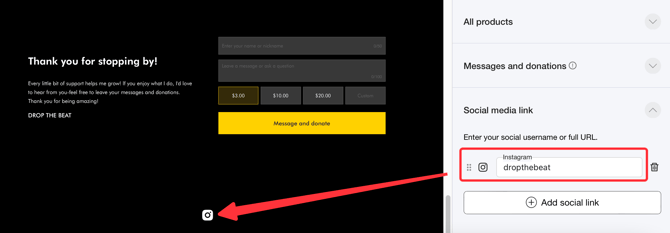
In the right-hand menu, locate Social media link, click Add social link, select your desired platform, and enter your account handle to complete the setup. Successfully added social media icons will appear in your shop's footer.